Help Getting started

The field app

Sign in once with signal, then run sessions in the wood with none; everything saves on the phone and syncs when it can

Woods do not have signal, so the app does not need any. Sign in once at home and your attendees, sessions, risk assessments and emergency plans come down to the phone. Everything you record in the wood saves the moment you tap it and syncs by itself when the phone finds a connection. The pill in the header always tells you where you stand.

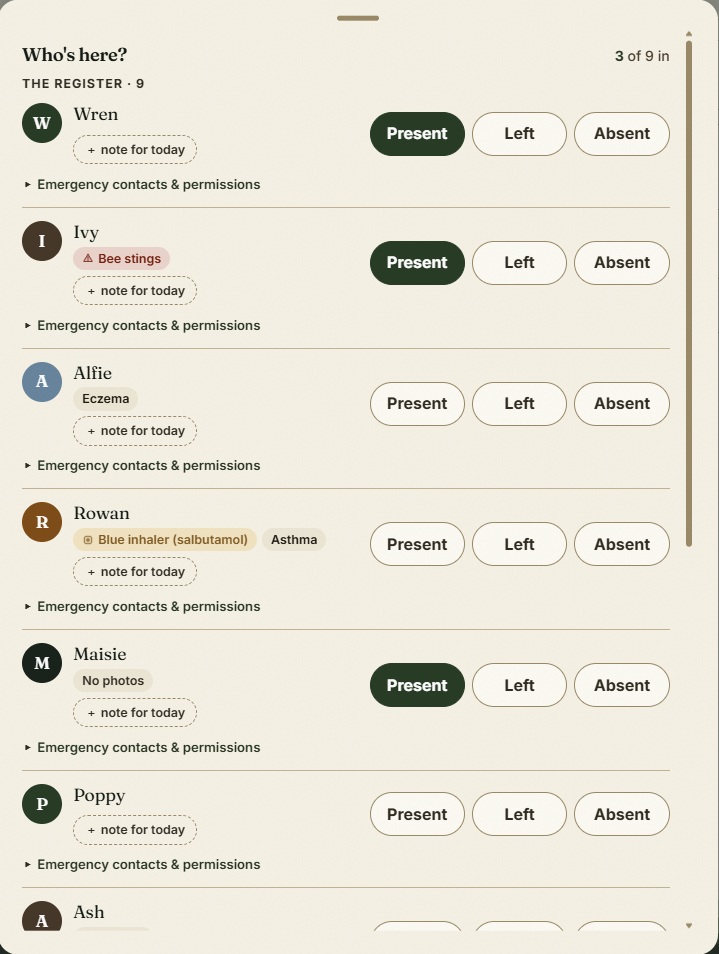
Taking the register on the phone

The step-by-step guide is in the app

To use this in your own forest school, create a free account. The full walkthrough, with every screen, is waiting inside.

This is how it works in the Forest School app. Start free, or see all help articles.

An unhandled error has occurred. Reload 🗙

Rejoining the server...

Rejoin failed... trying again in seconds.

Failed to rejoin.
Please retry or reload the page.

The session has been paused by the server.

Failed to resume the session.
Please retry or reload the page.